
Skip to product information


Eoneboss - TLK 1 Unlock Toyota Lexus Smart Key Emulator
Product Code: TLK-1-GDG
$84.95
Free shipping over $100
30-day returns
TLK1 – Unlock Original Toyota / Lexus 8A Keys (AA, BA, B9, B8)
The TLK1 is a professional tool built specifically for locksmiths to reuse locked Toyota and Lexus 8A smart keys. Using advanced technology, the TLK1 allows you to directly match used keys to a new vehicle without performing a traditional unlock/reset, saving time and significantly reducing key costs.
What It Works With
Supports original Toyota / Lexus 8A smart keys including:
-
8A-AA
-
8A-BA
-
8A-B9
-
8A-B8
Key Benefits
-
Reuse previously locked OEM smart keys
-
No need for conventional key unlocking procedures
-
Faster workflow for Toyota / Lexus key jobs
-
Reduces inventory waste and replacement costs
-
Designed for professional automotive locksmith use
Support Key Models
Toyota/Lexus: 8A-AA BA B9 B8
Function Introduction
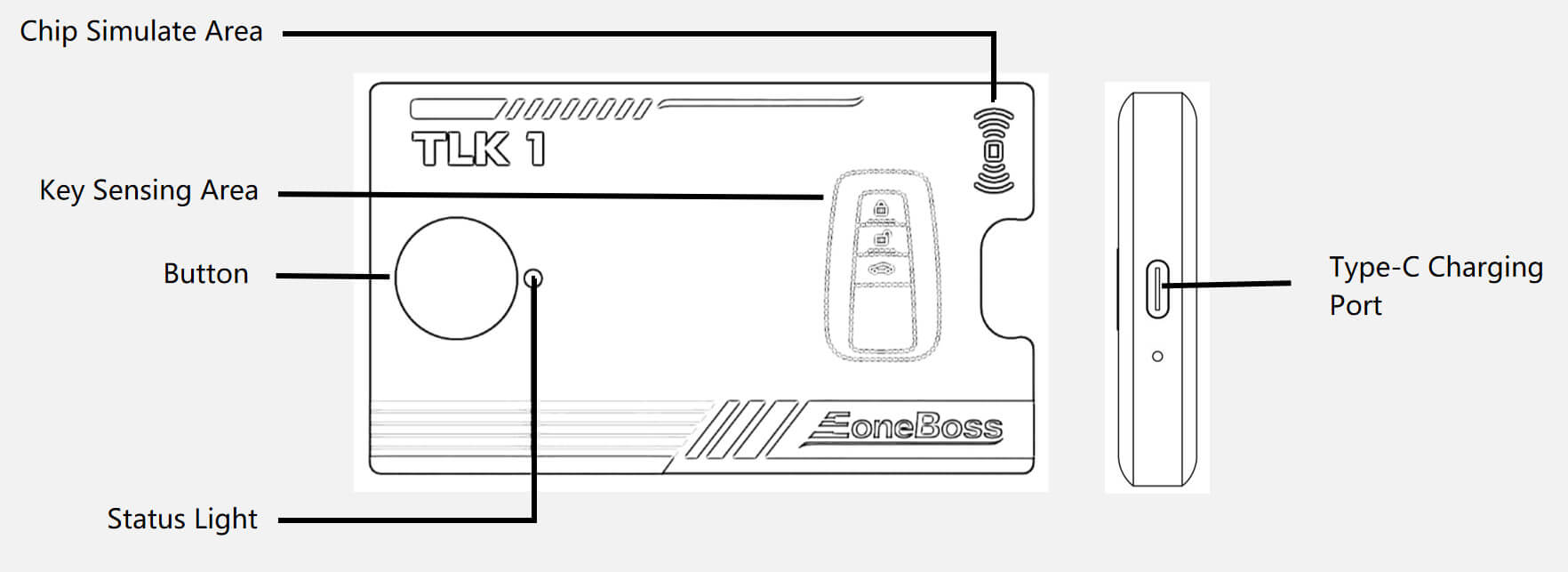
- Status Light Indicators Description of corresponding functions Green (solid): Device is connected and charging Red (solid): Voice broadcast mode with real-time status updates Flashing:Device is performing core operations (read, match, write)
- Button Functions Power On/Off: Long press (~3 seconds) to toggle power. Status Inquiry: Short press while powered on to hear current operation via voice prompt Reset: Long press (~5 seconds) to reset the device.
- Battery Version: Includes a built-in 3.7 V, 450 mAh battery; supports simultaneous charging and use. Defaults to external power and switches to battery when needed Compatible Power Sources Can be powered by mobile phone chargers, computers (USB), power banks, and standard 5 V adapters
Operation Instructions
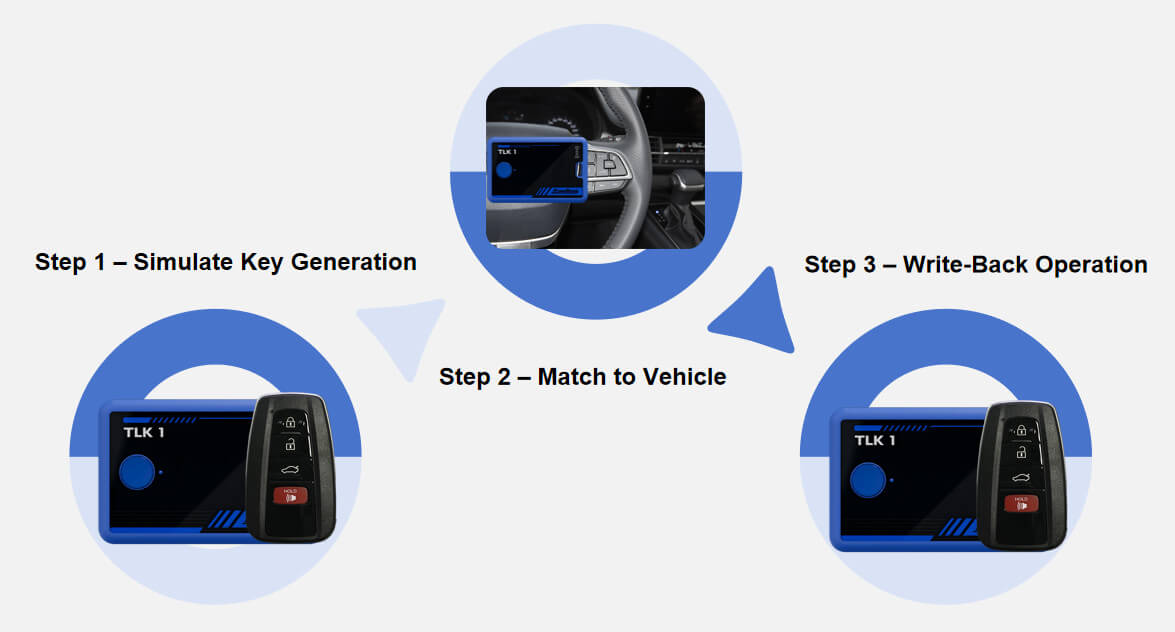
Step 1 – Simulate Key Generation Place the accidentally deleted or locked key in the TLK1 sensing area and press the button. TLK1 will read the secure identifier (e.g., key ID) and simulate a matching key using internal data. Step 2 – Match to Vehicle Use the TLK1 as a replacement key during the vehicle matching process. The device writes key ID and other information into the vehicle’s system while storing key-related data such as passwords. Step 3 – Write-Back Operation After successfully retrieving the data, TLK1 writes the complete key information back to the original locked key, reactivating it. Step 4 – Final Confirmation Once the update is complete, test the key to ensure all functions are working. Programming is now complete.